


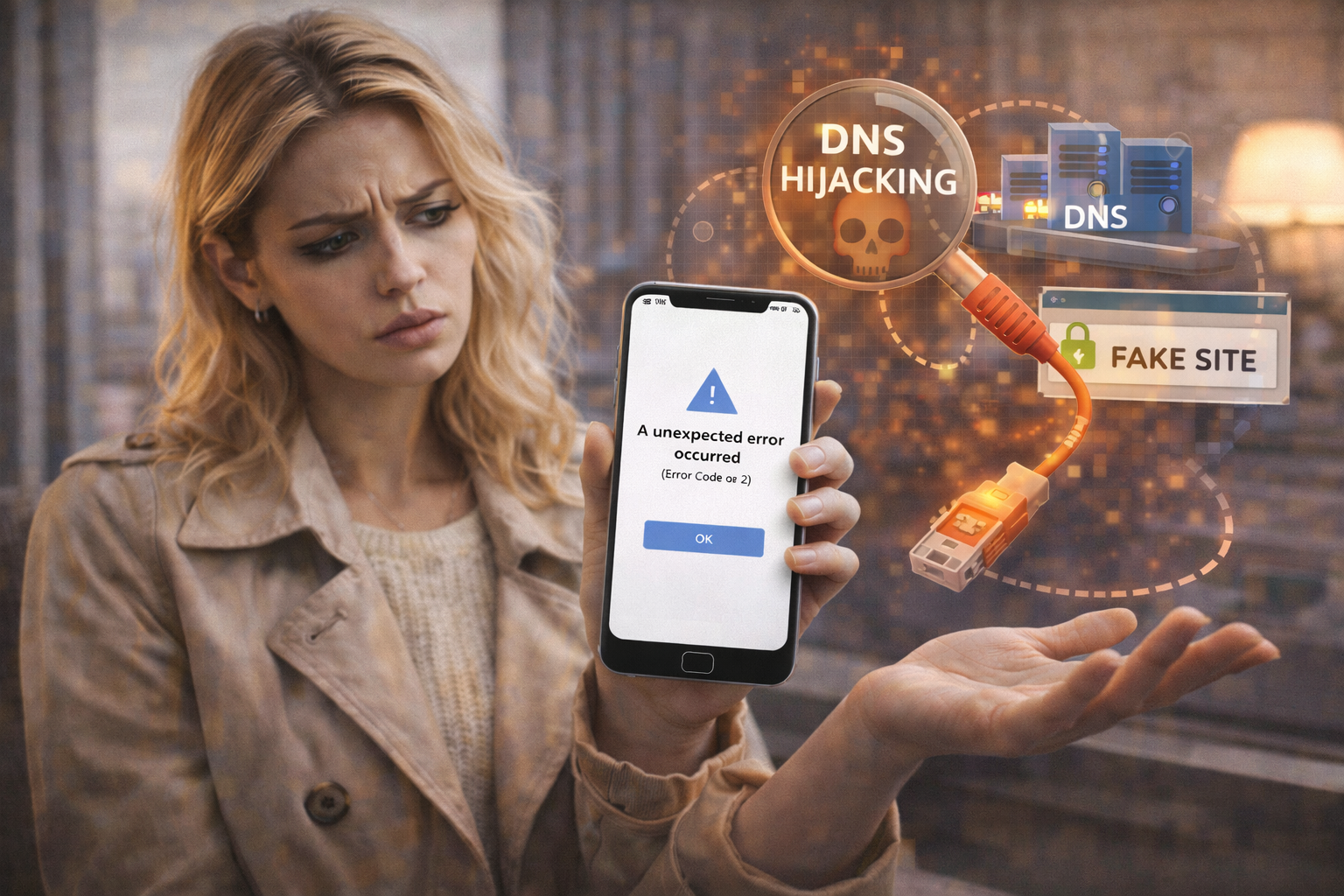
🚨 “An Unexpected Error Occurred” (Error Code 2) Only on Certain Networks: Understanding the DNS Hijacking Scenario
If Facebook suddenly shows “An unexpected error occurred (Error Code 2)” but only on certain Wi-Fi networks, while the same account works perfectly on mobile data or a different internet connection, you are not dealing with a random app bug, a temporary outage, or an account restriction. This behavior is a classic indicator of a DNS hijacking scenario, a network-level manipulation that quietly alters where your requests are sent, often without your knowledge 🌐⚠️.
This issue is frequently misdiagnosed because everything else on the internet appears to work normally. Websites open, videos stream, messages send, yet Facebook fails in a very specific and repeatable way. That selectivity is not accidental. It is exactly how DNS hijacking manifests when it collides with Facebook’s strict security and certificate validation mechanisms.
🔍 Definition: What Does Error Code 2 on Only Some Networks Really Mean?
When Error Code 2 appears only on certain networks, it tells us that Facebook’s app is successfully installed, your account credentials are valid, and Facebook’s servers are reachable in general. The failure occurs before a secure session can be fully established, at the stage where Facebook validates that it is talking to the correct servers over a trusted path.
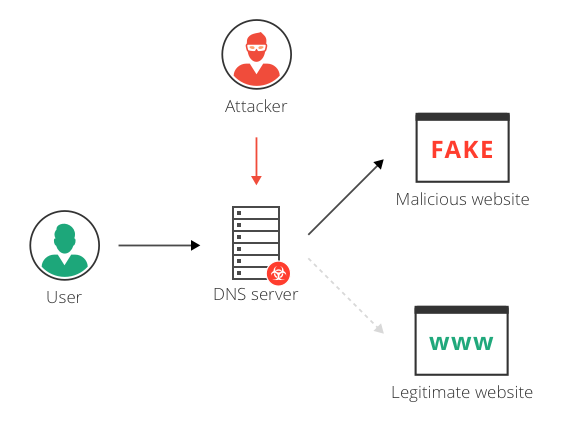
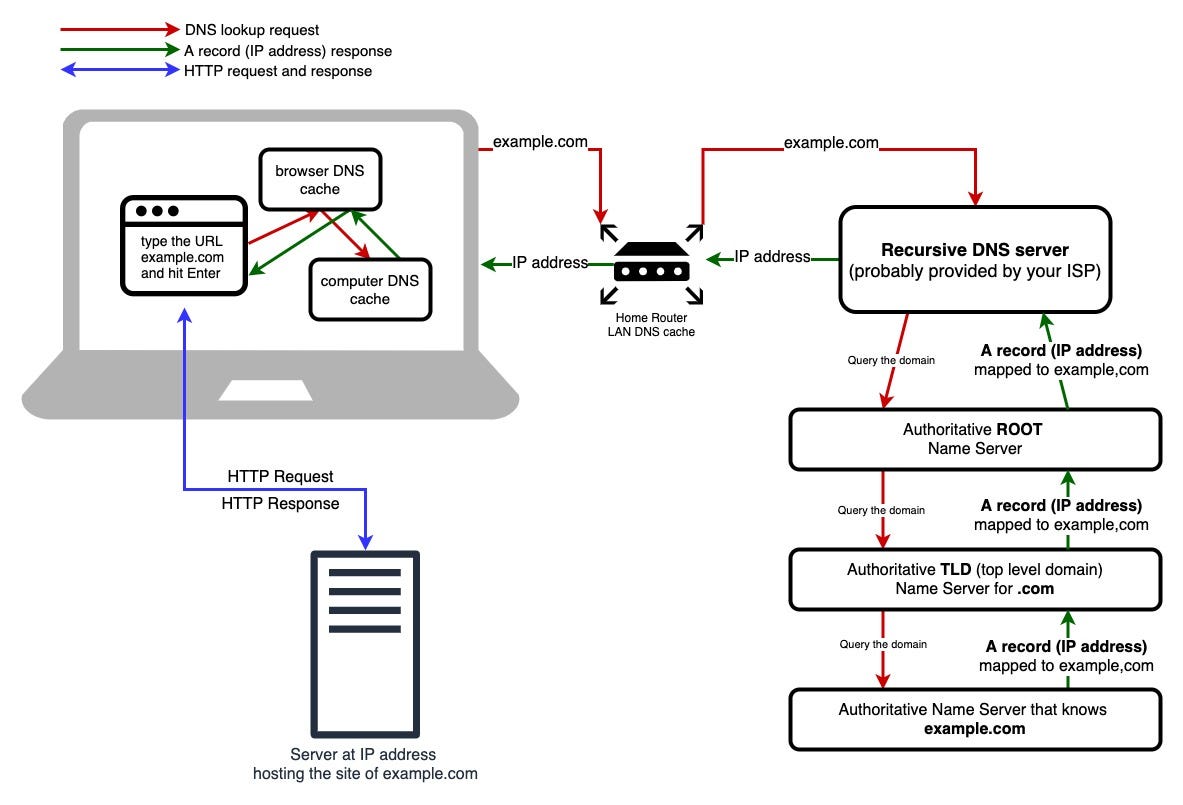
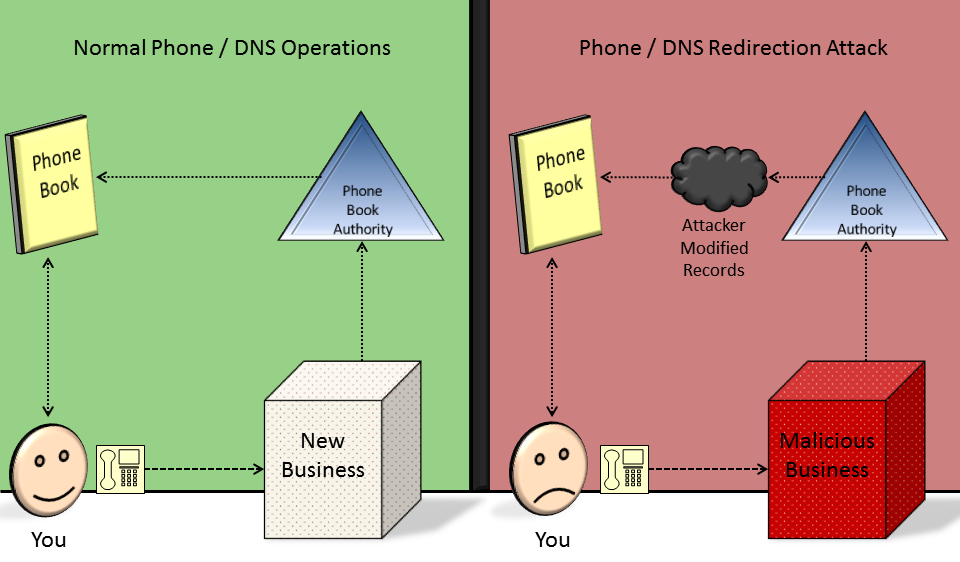
DNS hijacking interferes with this step by returning incorrect or manipulated IP addresses for Facebook domains. Your device believes it is connecting to Facebook, but the connection is redirected to an unexpected endpoint. Facebook’s security systems detect the mismatch immediately and terminate the connection, resulting in Error Code 2 instead of a more explicit warning 🧩.
📌 Why This Happens Only on Certain Networks
DNS hijacking is almost always network-specific. It can occur at the router level, the ISP level, or through captive portals and misconfigured DNS resolvers. Some networks intentionally intercept DNS requests for filtering, advertising injection, analytics, or access control. Others do so unintentionally due to outdated firmware or compromised infrastructure.
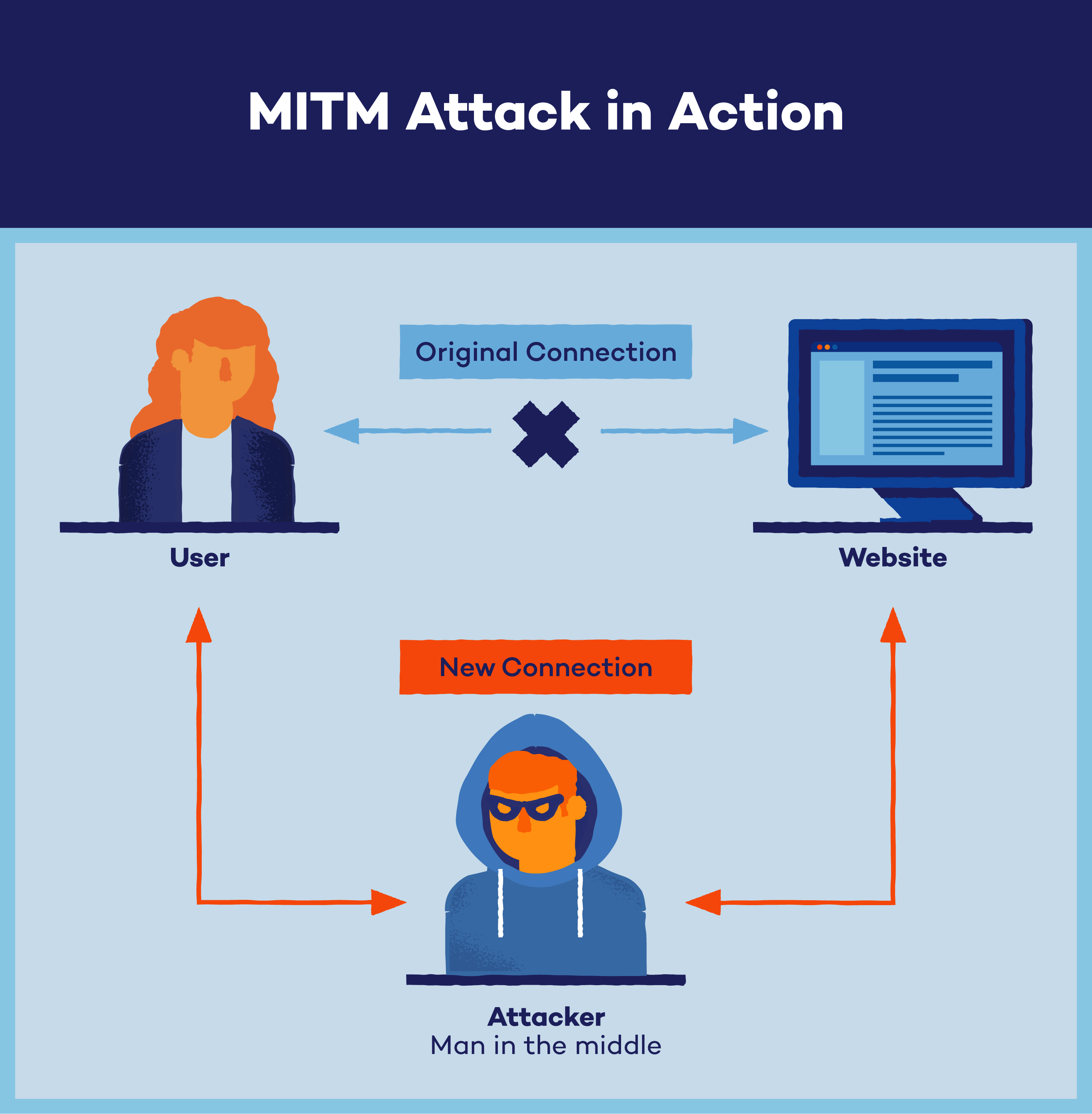
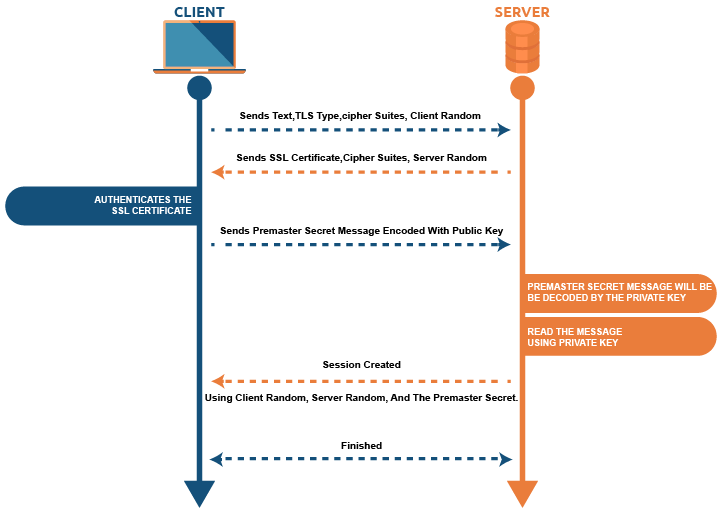
Facebook is particularly sensitive to this because it enforces strict TLS certificate pinning and endpoint validation. When DNS points to an unexpected IP, Facebook refuses to proceed rather than risk a man-in-the-middle scenario. On a clean network, everything works. On a hijacked network, the app fails consistently, producing Error Code 2 every time 🚫🔐.
🧠 How DNS Hijacking Breaks Facebook but Not “the Internet”
This is the part that confuses most users. DNS hijacking does not usually break the entire internet. Many websites still load because browsers tolerate redirects, captive portals, or substituted IPs. Facebook’s app does not.
When a hijacked DNS resolver responds with an altered address for Facebook domains, the app connects, attempts to establish a secure channel, and immediately detects that the certificate or server identity does not match expectations. Instead of falling back or warning the user, Facebook aborts the connection silently and surfaces Error Code 2. The result feels arbitrary, but it is actually a deliberate security response 😶🌫️.
🛠️ How to Detect a DNS Hijacking Scenario Reliably
The most reliable diagnostic step is network comparison. If Facebook works instantly when you switch to mobile data, a different Wi-Fi network, or a VPN, the account and device are not the issue. The network path is.
Another strong indicator is behavior consistency. Error Code 2 appears immediately and every time on the affected network, regardless of app reinstalls, cache clearing, or device restarts. That consistency rules out transient failures.
Advanced users sometimes notice that DNS settings on the affected network are forced or locked. Public DNS providers cannot be used, or DNS queries are transparently redirected. These are strong signs of DNS manipulation 🧪.
📊 A Real-World Diagnostic Example
This exact scenario is frequently discussed in advanced troubleshooting communities and tools such as MiniTool Partition Wizard guides, where users report Facebook Error Code 2 occurring only on workplace Wi-Fi or specific ISPs. In many cases, the root cause turned out to be DNS interception by network firewalls performing content filtering. Once users switched to a trusted DNS resolver or accessed the network through a VPN tunnel, Facebook began working instantly without any changes to the app or account. The network was the problem, not the platform 😊.
📈 A Metaphor That Makes DNS Hijacking Obvious
Imagine dialing a friend’s phone number, but someone quietly reroutes the call to a different person who answers with the wrong voice. You hang up immediately because something feels wrong. Facebook does the same thing. DNS hijacking gives it the wrong number, and Facebook refuses to continue the conversation ☎️🚫.
❓ Frequently Asked Questions (FAQ)
- Why does Error Code 2 appear only on one Wi-Fi network?
Because DNS behavior differs per network. - Is my Facebook account restricted?
No, account restrictions do not behave this way. - Does reinstalling the app help?
No, the problem is external to the app. - Can ISPs legally do DNS hijacking?
Some do it for filtering or analytics, intentionally or not. - Why does mobile data work fine?
Mobile carriers use different DNS infrastructure. - Does changing DNS fix it?
Often yes, unless DNS is forcibly intercepted. - Is this a security risk?
Potentially, which is why Facebook blocks the connection. - Can captive portals cause this?
Yes, especially on public or hotel Wi-Fi. - Does HTTPS not protect against this?
HTTPS protects content, but DNS determines where you connect. - Is this permanent?
Only as long as the DNS manipulation remains.
🤔 People Also Ask
Why does Facebook say “unexpected error” instead of explaining DNS issues?
Because revealing security details could be exploited.
Can DNS hijacking affect only certain apps?
Yes, apps with strict certificate validation are most affected.
Is this the same as being blocked by a firewall?
No, this is misdirection rather than outright blocking.
Why does a VPN fix it instantly?
Because it bypasses the hijacked DNS path.
Should I contact my ISP?
Yes, if DNS manipulation is occurring without transparency.
✅ Final Thoughts
When “An unexpected error occurred (Error Code 2)” appears on Facebook only on certain networks, the behavior is not random and it is not a Facebook bug. A DNS hijacking scenario creates an invisible fork in the road where your device is sent to the wrong destination, and Facebook’s security systems correctly refuse to proceed. Understanding this distinction saves hours of pointless troubleshooting and helps you focus on the real fix: restoring a clean, trustworthy DNS path. Once that path is corrected or bypassed, Facebook works again instantly, not because it was fixed, but because it was finally allowed to reach the right place 😌🌐.
You should also read these…
- getaluck.com – how to deal with spam comments on tiktok
- beofme.com – valve selection guide matching valve types to syst
- huesly.com – unable to connect to server most common game fixes
- olddry.com – tiktok follower limit problem and solving methods
- spyfrogs.com – timeline wont refresh cache and network fixes for
- toojet.com – tiktok friend suggestions not working
- surgeblog.com – untapped benefits of interoceptive awareness under
- noepic.com – dairy free smoothie bowl ideas for hot mornings
- spyfrogs.com – robo advisors vs financial planners pros and cons
- tugmen.com – the power of the digital wheel from traditional dr

 appears only on certain networks, a DNS hijacking scenario may be the cause. Learn how to detect and fix it.)